roth ira
How to Use a Roth IRA Calculator: A Worked Example From Start to Finish
Learn how to use a Roth IRA calculator step by step: inputs, growth assumptions, a complete worked example, and how to read your tax-free projection.
A Roth IRA calculator turns three inputs — contribution amount, years of growth, and an assumed rate of return — into a projected balance split between your deposits and investment growth. This Roth IRA calculator guide works through the whole thing with real numbers: what each field means, the formula underneath, how to read the output honestly, and how to compare a Roth with a pre-tax account fairly. It is written for anyone who would rather check the arithmetic than trust a black box.
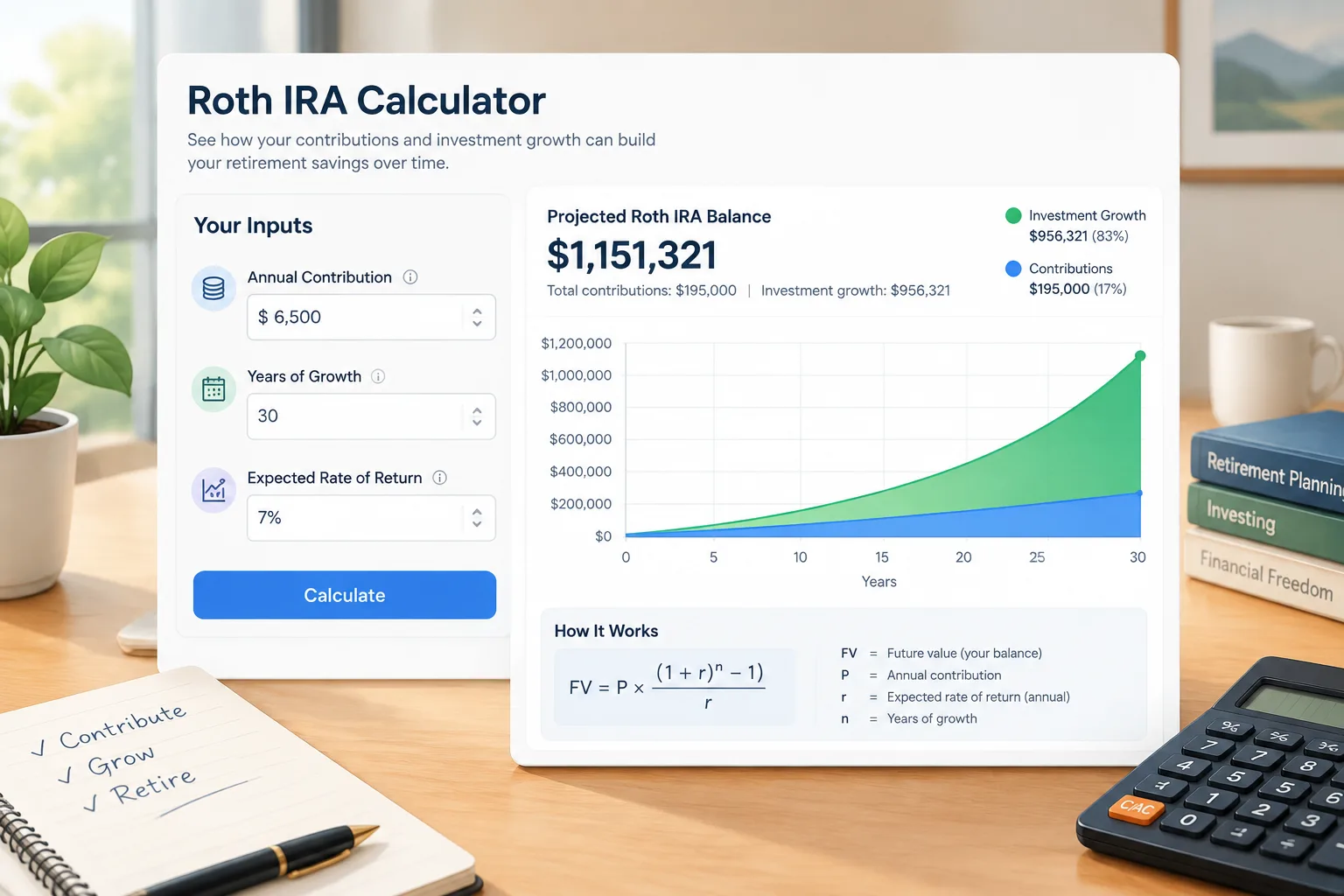
What a Roth IRA Calculator Actually Computes
A Roth IRA calculator is a future-value tool with retirement-shaped inputs. Given a contribution amount, a time horizon, and an assumed annual return, it projects an ending balance and usually splits that balance into total contributions and growth on top.
Two things make a Roth projection different from a plain savings projection. Roth contributions come from money you have already paid income tax on, so a qualified withdrawal in retirement is not taxed again — the tool does not subtract a retirement tax rate from the final balance. And because the deposits are after-tax, comparing a Roth with a pre-tax account needs an adjustment for the tax paid up front.
Every output rests on one large assumption: the same return every year. Markets do not behave that way, so treat the result as a structured what-if, not a prediction.
The Formulas Behind a Roth IRA Projection
Future value of a contribution stream
The engine is the future value of an annuity. For deposits made at the end of each period:
where is the contribution per period, the periodic return, and the number of periods. For monthly deposits, and , with the annual return and the number of years.
If deposits go in at the start of each period — closer to how an automatic transfer behaves — multiply by :
Splitting contributions from growth
Total contributions are , and growth is . The ratio is a quick read on how much of the ending balance came from compounding rather than deposits.
A worked example from start to finish
Say a 30-year-old deposits 7,000 a year at the start of each year, assumes 7% annual growth, and retires at 65 — 35 years of deposits and compounding. (7,000 is a round stand-in for a recent annual IRA limit; check the current figure, since it changes.)
because , which makes the bracket about 138.24 and the whole multiplier about 147.91.
Contributions total . Growth is roughly 790,000 — about three-quarters of the ending balance.
Move those same deposits to the end of each year instead and the projection drops to roughly 968,000, about 67,000 lower from contribution timing alone. That is why the beginning-versus-end toggle matters more than it looks.

Step-by-Step: How to Use a Roth IRA Calculator
- Enter a sustainable contribution. Use an amount you would not have to stop in a tight month.
- Choose the frequency. Monthly matches most payroll habits; annual is easier to reason about.
- Set the horizon in years. Count from today to the age you expect to start withdrawing. Retirement age explained covers why that date is a choice rather than a rule.
- Pick an assumed return and label it. Long-run equity returns are often modeled around 6-8% before inflation. Whatever you enter is a planning input, not a promise.
- Set the timing. Choose beginning of period if your transfer goes out at the start of the month.
- Run it, then run it lower. Repeat with a return two percentage points lower; the gap between the two runs is more useful than either number alone.
- Compare with a pre-tax account using the adjustment below.
Reading the Results Without Over-Reading Them
The ending balance is a what-if under a fixed return, not a forecast.
Most calculators ignore inflation. A balance 35 years out is not in today's purchasing power; to restate it, discount with , where is the assumed inflation rate.
The tool also does not check eligibility. Roth IRA eligibility depends on filing status and modified AGI, and those thresholds are updated periodically — a calculator will happily project contributions you may not be allowed to make. It also does not model penalties or the special rules that apply to non-qualified withdrawals.
Roth vs Traditional: Setting Up a Fair Comparison
The common error is comparing 7,000 of Roth deposits with 7,000 of pre-tax deposits. Those are not the same money: the Roth deposit was already taxed, the pre-tax deposit was not.
Match them on gross income:
and apply a retirement tax rate to the pre-tax balance:
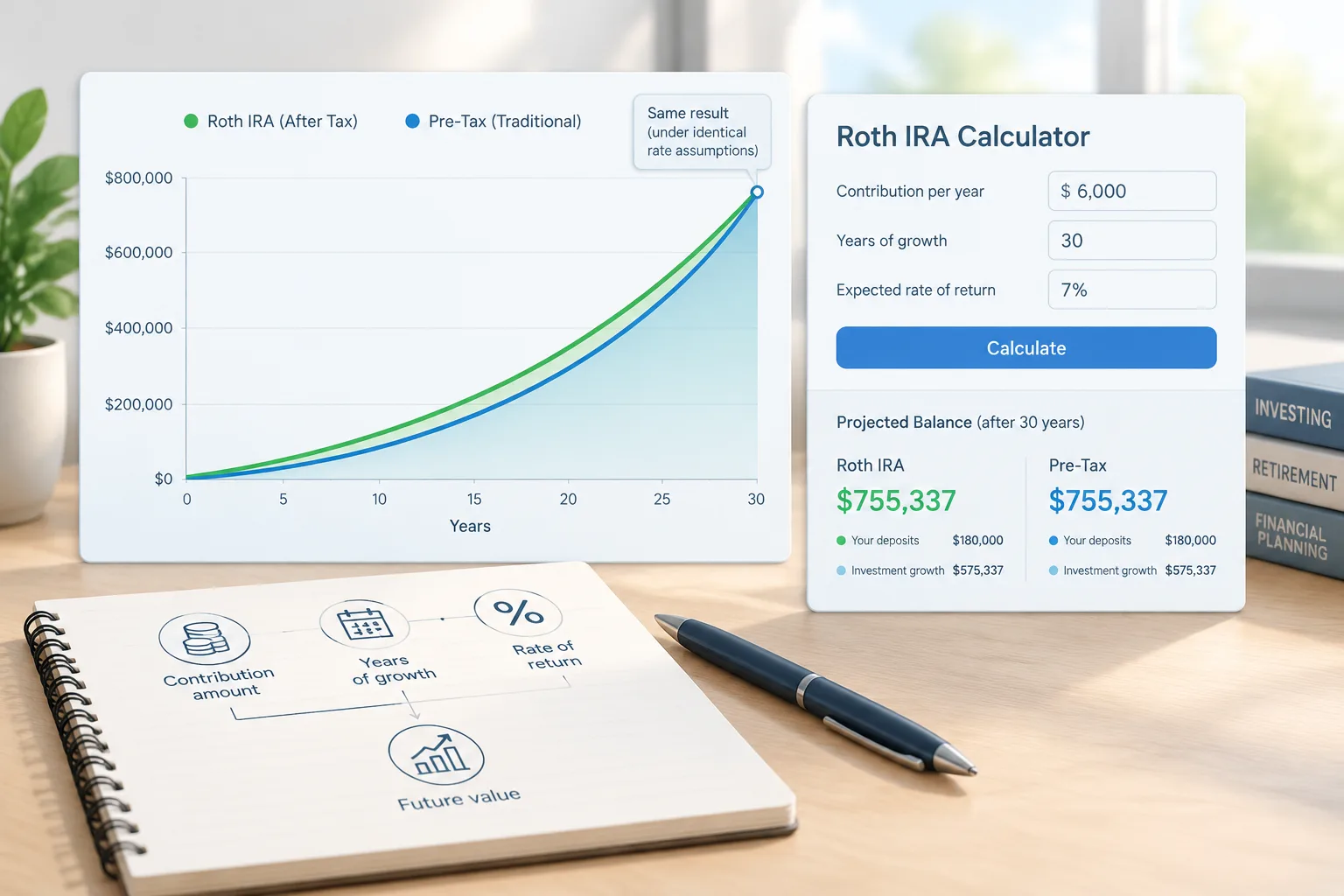
Assume a 22% marginal rate today and 22% in retirement. A pre-tax deposit of 7,000 uses 7,000 of gross income; the equivalent Roth deposit is . Running 5,460 through the same 35-year, 7% annuity-due formula gives about 807,000. The pre-tax account reaches roughly 1,035,000 before tax, and after. Identical, under identical assumptions.
That equivalence is arithmetic, not advice. It shifts as soon as the two rates differ, and nobody knows future rates in advance. The Roth IRA calculator is where you change the assumption and watch how sensitive the answer is.
Common Mistakes and Where the Math Breaks Down
- Comparing after-tax and pre-tax deposits at face value. Adjust the Roth side for the up-front tax, or the comparison is meaningless.
- Underestimating return sensitivity. At 5% instead of 7%, the example above lands near 664,000 rather than 1,035,000 — the assumption, not the deposit, drives most of the spread.
- Forgetting inflation and reading a balance decades away as today's money.
- Holding the contribution limit constant. The calculator does; the limit itself does not.
- Assuming every withdrawal is tax-free. Qualified withdrawals generally are; others may not be.
When a Roth IRA Projection Is Useful — and When It Isn't
It is useful for sanity-checking a savings rate, seeing how much of a balance comes from growth, and comparing tax treatments on equal footing. It is not useful for predicting a balance, determining eligibility, or filing taxes. For the compounding piece on its own, the compound interest calculator and investment calculator cover the same math without the retirement framing, and the retirement calculator handles the withdrawal phase.
Frequently Asked Questions
How do I use a Roth IRA calculator without overestimating my balance?
Enter a contribution you can sustain, run the projection twice with different return assumptions, and treat the lower result as your planning case. The output is a model, not a forecast.
What rate of return should I enter in a Roth IRA projection?
There is no single correct number. Long-run equity returns are often modeled in the 6-8% range before inflation, but the honest approach is to test a range and remember that past returns do not guarantee future ones.
Does a Roth IRA growth calculator account for income limits?
Usually not. Eligibility depends on filing status and modified AGI, and the thresholds are updated periodically. Check the current rules separately from any projection you run.
How is a Roth IRA growth calculator different from a compound interest calculator?
The core math is the same annuity formula. The Roth version adds retirement framing, contribution-timing settings, and the after-tax logic that makes a Roth versus traditional comparison meaningful.
Where can I find a Roth vs traditional calculator?
Run the same projection twice — once with an after-tax contribution, once with a pre-tax contribution reduced by your current marginal rate — and compare the after-tax endings. The Roth IRA calculator covers the Roth side, and the future value calculator can be paired with it to line up the pre-tax numbers.
Run Your Own Numbers
Open the Roth IRA calculator, enter your contribution, horizon, and an assumed return, then repeat the run with a lower return. Two runs take under a minute and tell you more about your plan than one optimistic number ever will.
Frequently asked questions
How do I use a Roth IRA calculator without overestimating my balance?
Enter a contribution you can sustain, run the projection twice with different return assumptions, and treat the lower result as your planning case. The output is a model, not a forecast.
What rate of return should I enter in a Roth IRA projection?
There is no single correct number. Long-run equity returns are often modeled in the 6-8% range before inflation, but the honest approach is to test a range and remember that past returns do not guarantee future ones.
Does a Roth IRA growth calculator account for income limits?
Usually not. Eligibility depends on filing status and modified AGI, and the thresholds are updated periodically. Check the current rules separately from any projection you run.
How is a Roth IRA growth calculator different from a compound interest calculator?
The core math is the same annuity formula. The Roth version adds retirement framing, contribution-timing settings, and the after-tax logic that makes a Roth versus traditional comparison meaningful.
Where can I find a Roth vs traditional calculator?
Run the same projection twice — once with an after-tax contribution, once with a pre-tax contribution reduced by your current marginal rate — and compare the after-tax endings. The [Roth IRA calculator](/financial/roth-ira-calculator) covers the Roth side, and the [future value calculator](/financial/future-value-calculator) can be paired with it to line up the pre-tax numbers. 
Looking for more tools?
Try our free Free Calculators